← All custom orders

Orbit

A client wrote to us carrying work, home, a handful of projects and the family bills, mostly in their head. They asked for a to-do app that would come to them, so the day reached them before they had to go looking for it.
The Orbit app icon Private app

Every to-do app they had tried asked them to remember to check it. They wanted one that would check in on them instead.

They also needed somewhere for the household budget, the nightly routine and the thoughts that are not tasks yet, plus a way to let the people around them help without seeing everything. So Orbit holds all of it in one place. Everyone gets their own reminders on their own phone, and the people they invite see only their slice.

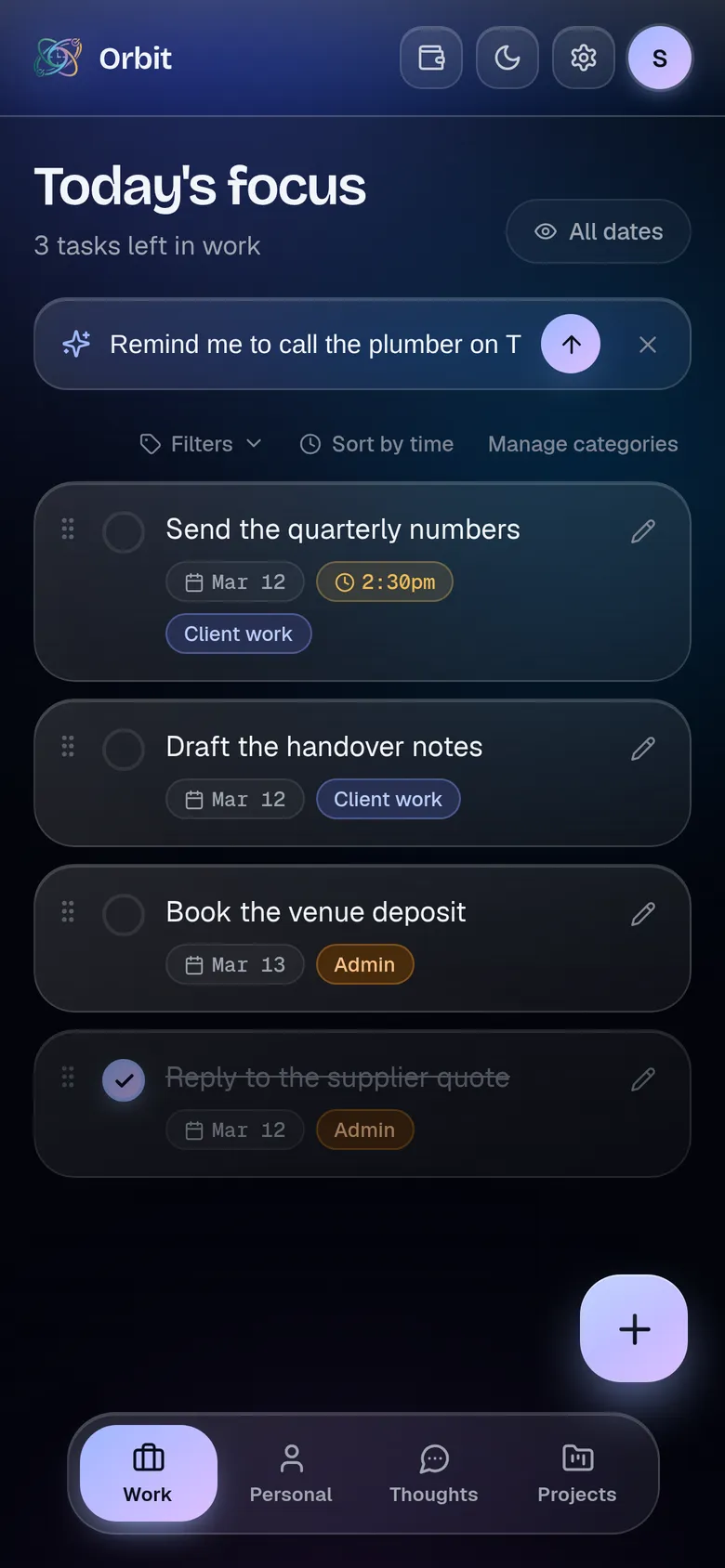
The same main screen in deep indigo, with the Ask Star bar open and the sentence "Remind me to call the plumber on Thursday" typed into it, a send arrow to its right.
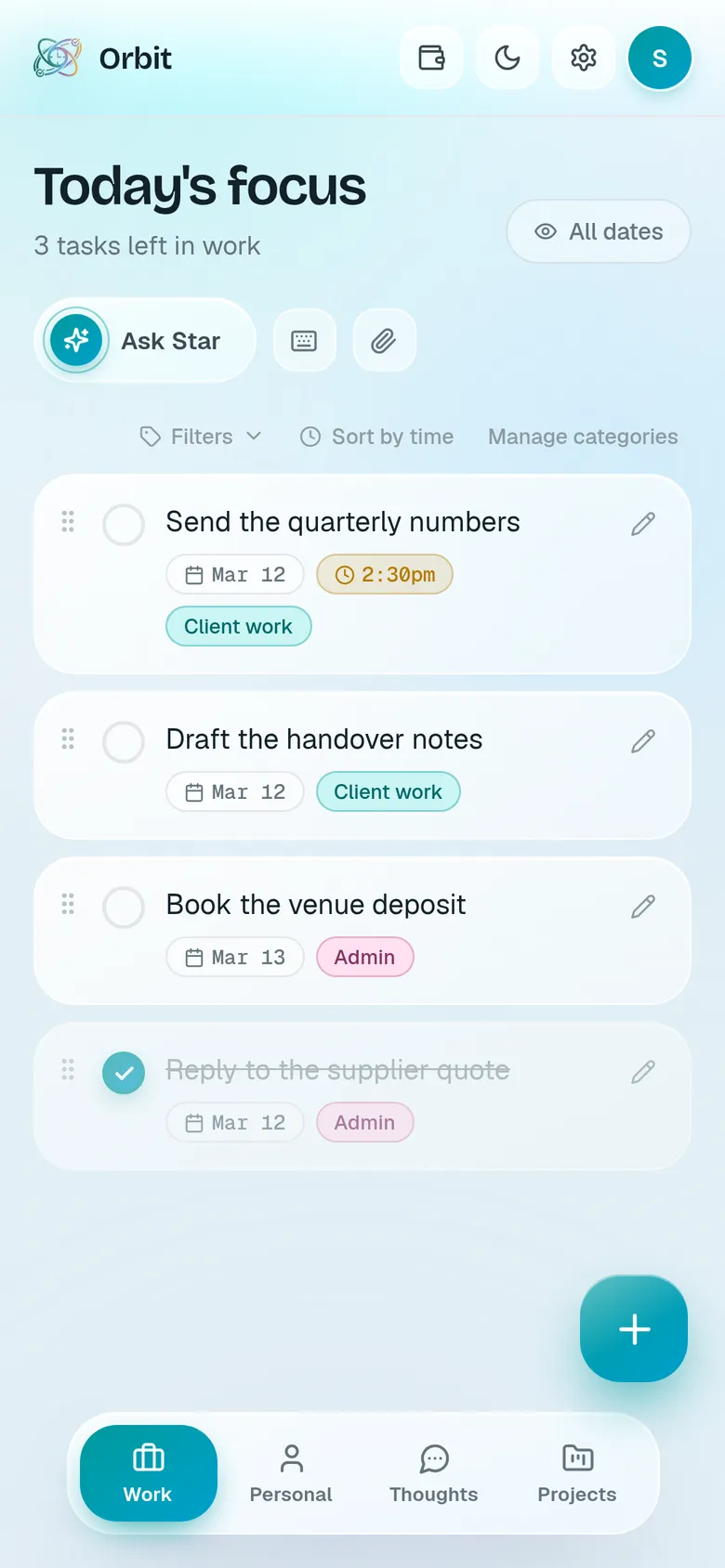
Orbit's main screen in teal on near white, headed "Today's focus" with three tasks left in work, a list of task cards each tagged with a category, and the top card carrying a gold 2:30pm time badge.
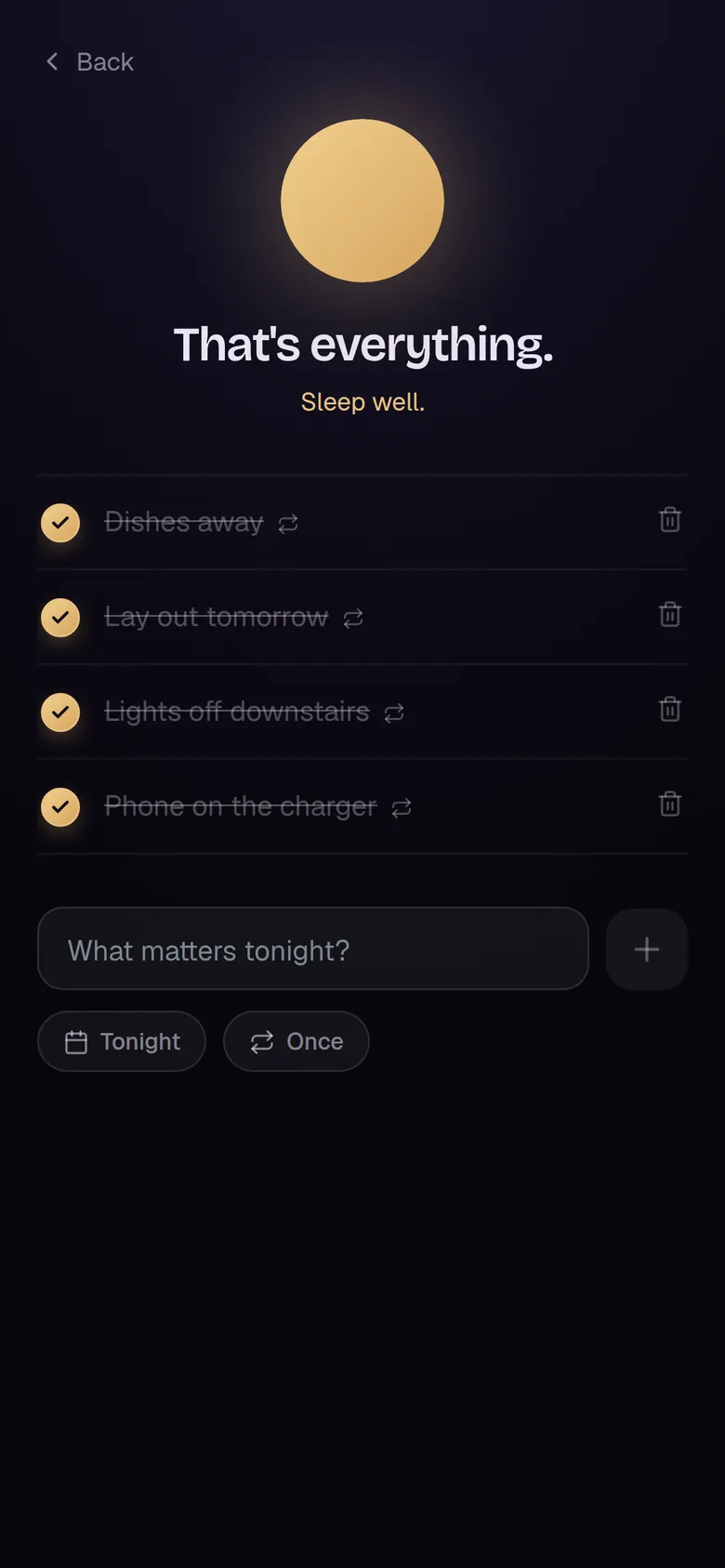
A dark night sky screen with a full gold moon at the top, the heading "That's everything." and "Sleep well." below it, and four evening routine items all ticked and struck through.
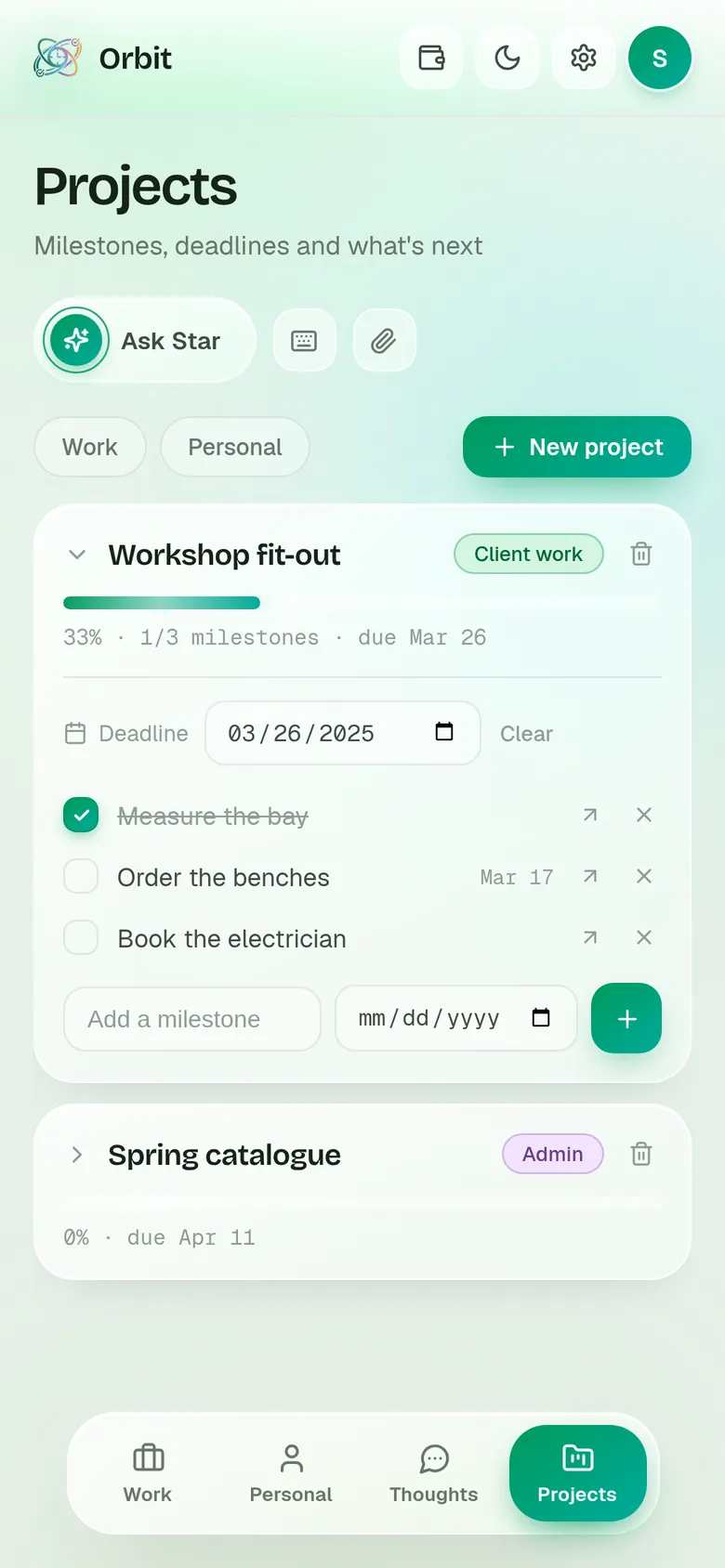
A phone chat with a bot called Orbit Demo, showing one morning message that greets Sam and lists three things due today, including the quarterly numbers with a 2:30 deadline. Orbit's main screen in teal on near white, headed "Today's focus" with three tasks left in work, a list of task cards each tagged with a category, and the top card carrying a gold 2:30pm time badge. The same main screen in deep indigo, with the Ask Star bar open and the sentence "Remind me to call the plumber on Thursday" typed into it, a send arrow to its right. The Projects screen in green, showing an expanded project called Workshop fit-out at 33 percent with three milestones, one ticked, plus a collapsed second project below it. The budget screen in warm amber, headed Family Budget, with the 15th selected, a Checking account showing 2,400 available and 2,115 left in green, and a list of bills due the 15th beginning with an unpaid Electric bill. A dark night sky screen with a full gold moon at the top, the heading "That's everything." and "Sleep well." below it, and four evening routine items all ticked and struck through. The Access screen in pink, with an Add someone form above a list of three people by email, showing an Owner, a Household member who shares the budget, and an Assistant with shared work switched on and limited to one category called Client work.
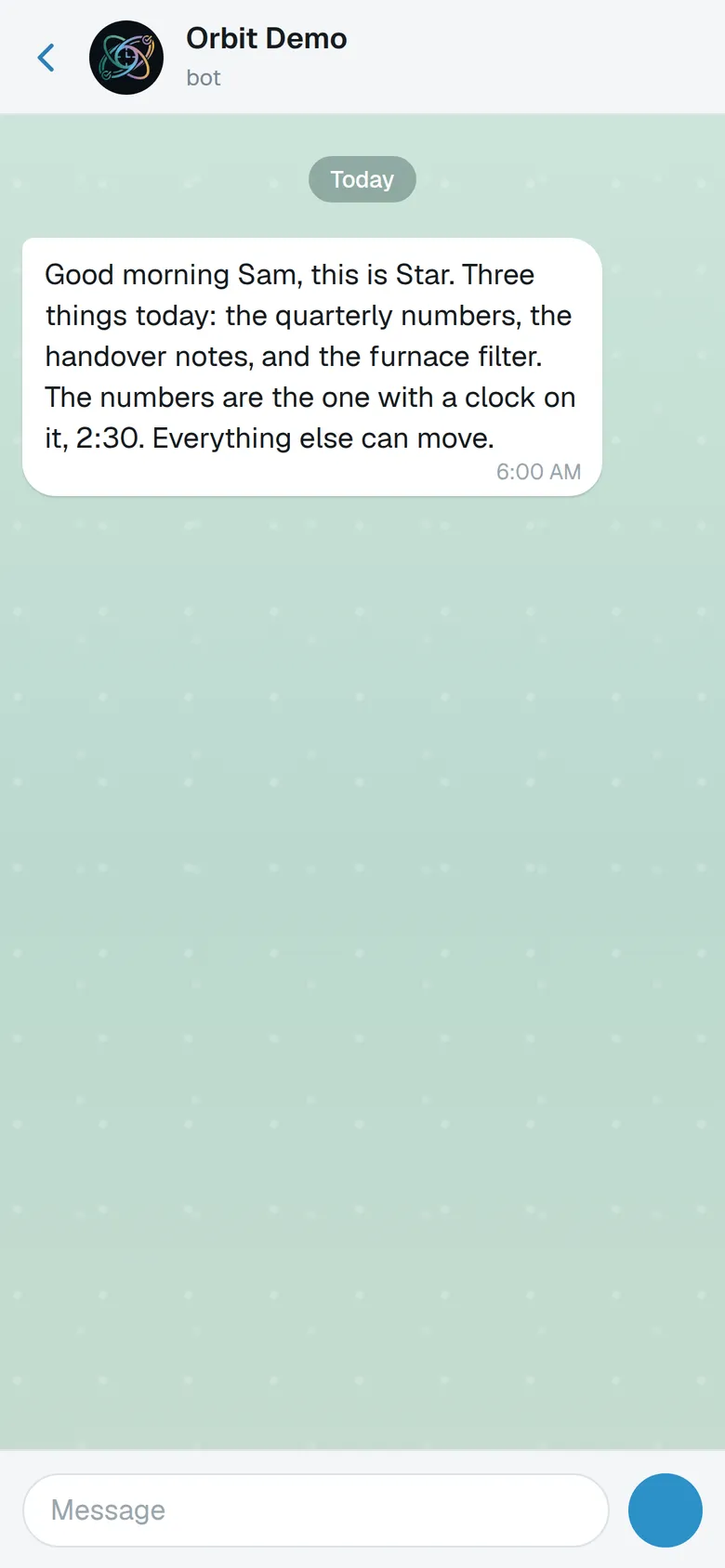
A phone chat with a bot called Orbit Demo, showing one morning message that greets Sam and lists three things due today, including the quarterly numbers with a 2:30 deadline.
First thing in the morning

The day arrives before you do

At six a message lands on your phone, written fresh that day and naming what is due. It comes through the messaging app you already use, so there is nothing new to open and nothing to remember to check. By the time you pick up Orbit you already know where the day stands, which is the part most lists get backwards.

Orbit's main screen in teal on near white, headed "Today's focus" with three tasks left in work, a list of task cards each tagged with a category, and the top card carrying a gold 2:30pm time badge.
Opening the app

Work and home, side by side

Two lists, each in its own colour, each with its own categories. On a phone they are tabs; on a laptop they sit as columns. The header reads "Today's focus" and counts what is left. Anything with a time on it wears that time, so a glance separates what is waiting from what is merely near. Nothing here asks you to sort it out first.

The same main screen in deep indigo, with the Ask Star bar open and the sentence "Remind me to call the plumber on Thursday" typed into it, a send arrow to its right.
When a thought lands

Say it, keep moving

Hold the button and talk, or type it if you would rather. A sentence comes back as a task, dated, filed, with the person attached. You see what it understood and tap once to keep it, so nothing is saved behind your back. Hand it a photo and it reads that too.

The Projects screen in green, showing an expanded project called Workshop fit-out at 33 percent with three milestones, one ticked, plus a collapsed second project below it.
Bigger than one task

Projects with milestones you can move

Some things do not fit on one line. A project carries its milestones, a deadline and a progress bar, and any milestone can be pushed into today's list when it is finally the day for it, then pulled back out when the day changes. The work stays in one place; only what is live reaches your list.

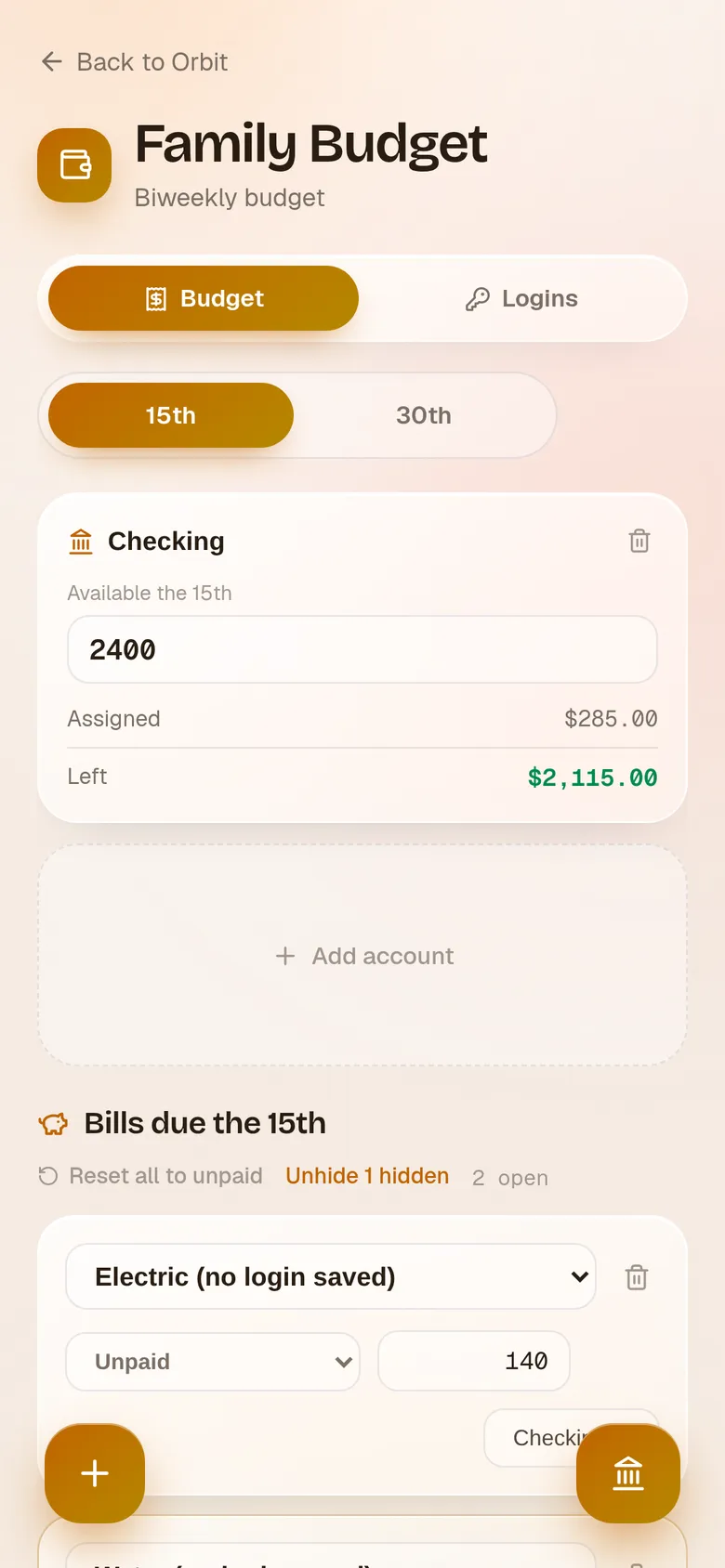
The budget screen in warm amber, headed Family Budget, with the 15th selected, a Checking account showing 2,400 available and 2,115 left in green, and a list of bills due the 15th beginning with an unpaid Electric bill.
The household money

Bills, split by pay period

The budget opens behind a face scan. Bills sit under the pay period they belong to, the 15th or the 30th, so one period's money can never quietly cover the other's. Each account shows what is in it and what is left once that period's bills are counted, green while it holds.

A dark night sky screen with a full gold moon at the top, the heading "That's everything." and "Sleep well." below it, and four evening routine items all ticked and struck through.
Last thing at night

The moon fills as you finish

The night screen stays dark whatever colour the rest of the app is wearing. A moon sits at the top and fills as you work down tonight's list. Finish it and the moon is whole, the heading changes to "That's everything." and underneath it says "Sleep well." Nothing carried over, nothing left running overnight.

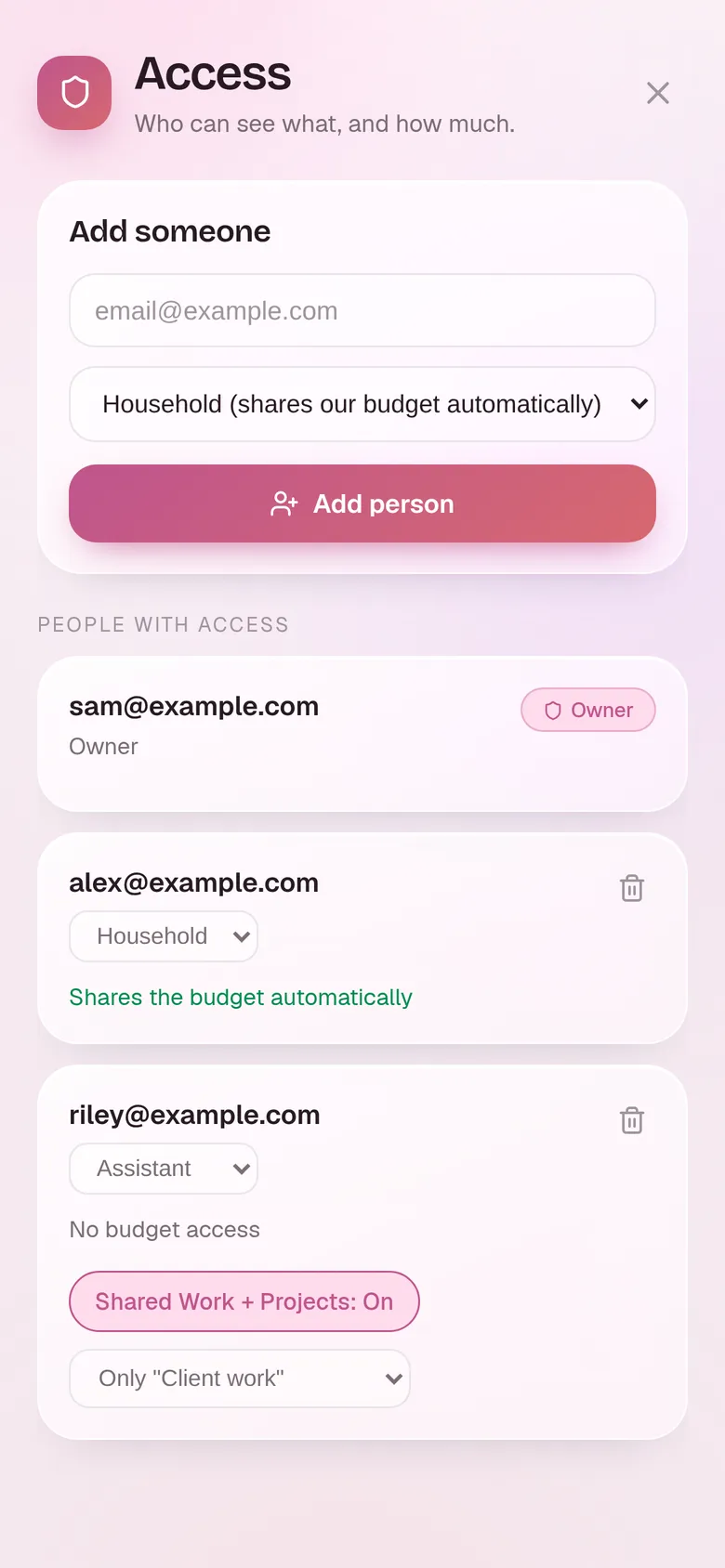
The Access screen in pink, with an Add someone form above a list of three people by email, showing an Owner, a Household member who shares the budget, and an Assistant with shared work switched on and limited to one category called Client work.
Who sees what

People see only their slice

You add people by email and give each a role. Household shares the budget. Guardian keeps their own until you approve otherwise. Assistant never gets near it, and can be narrowed to a single named category of your work and nothing else. Change your mind later and it takes one tap.

Next, take a look at The Hunt

We built Orbit from nothing for one household, and it has grown with them rather than around a roadmap. Nothing goes live by hand; every change ships through a review, with the app, its rules and its database moving together.

If you are carrying more than you can hold in your head, tell us about it and we will build you yours.

Start your custom app